Personal
For tracking your own money and the odd invoice.
RM0forever
Start free
- 1 user
- Money: income, expenses, budgets and claims
- 10 documents a month
- Up to 25 clients
- Two-factor sign-in
- 500 MB file storage
Bydock keeps income, budgets and claims next to your clients, quotations and invoices. Mark an invoice paid and it lands in your numbers. Nothing to retype.
Free for one person. Prices in ringgit. No card needed.
Example: an invoice for RM 4,250 is created, sent, then marked paid, and October income rises from RM 5,200 to RM 9,450.
Each part of Bydock reads from the same data, so a client you add in Connect is ready in DocCreate, and a paid invoice shows up in Money.
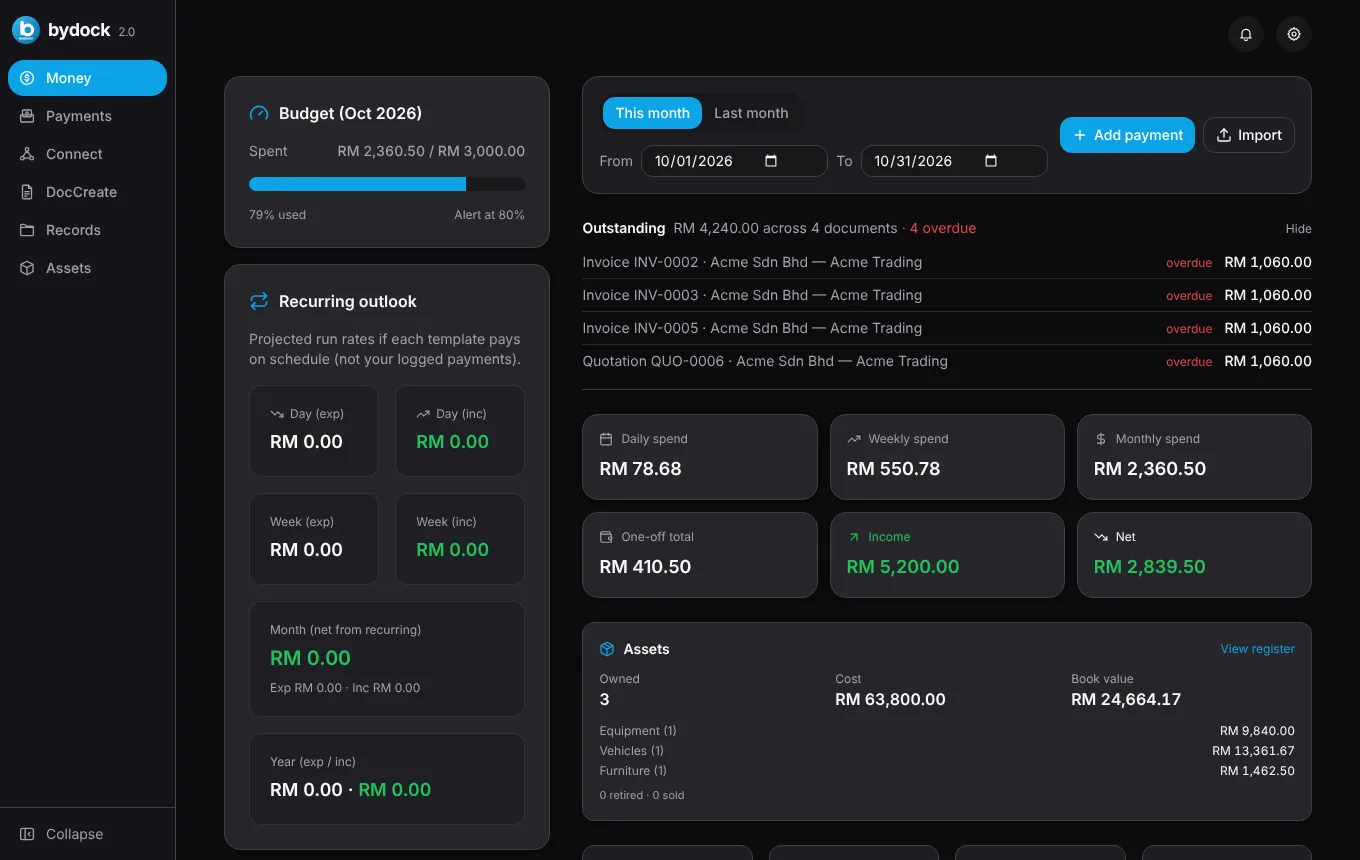
Log income and expenses, set a budget with an alert, and see what recurring items will cost before they land. Unpaid invoices and quotations sit at the top with their due dates.
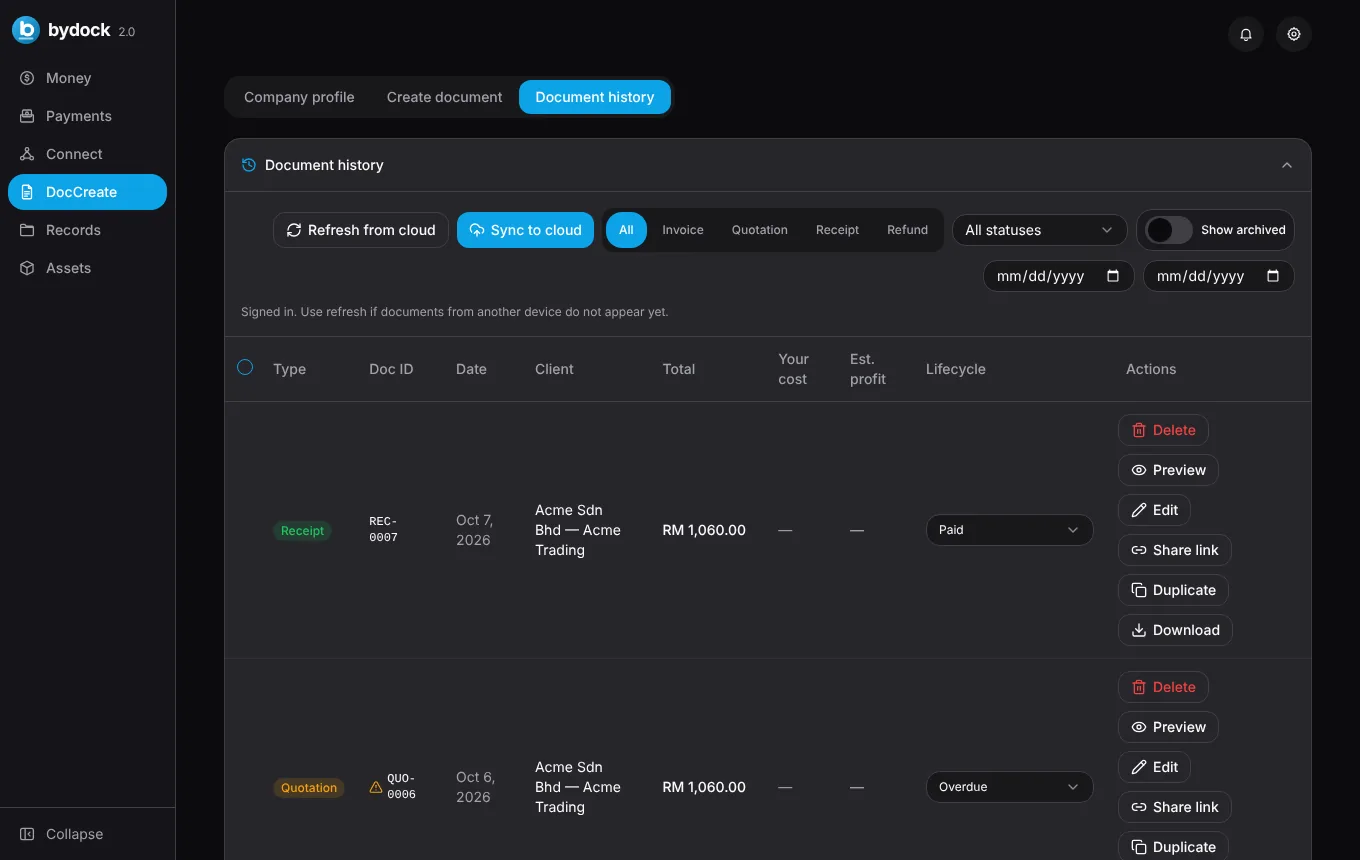
Build a document from your company profile and a client, preview the PDF, and follow it from draft to paid. Overdue documents flag themselves.
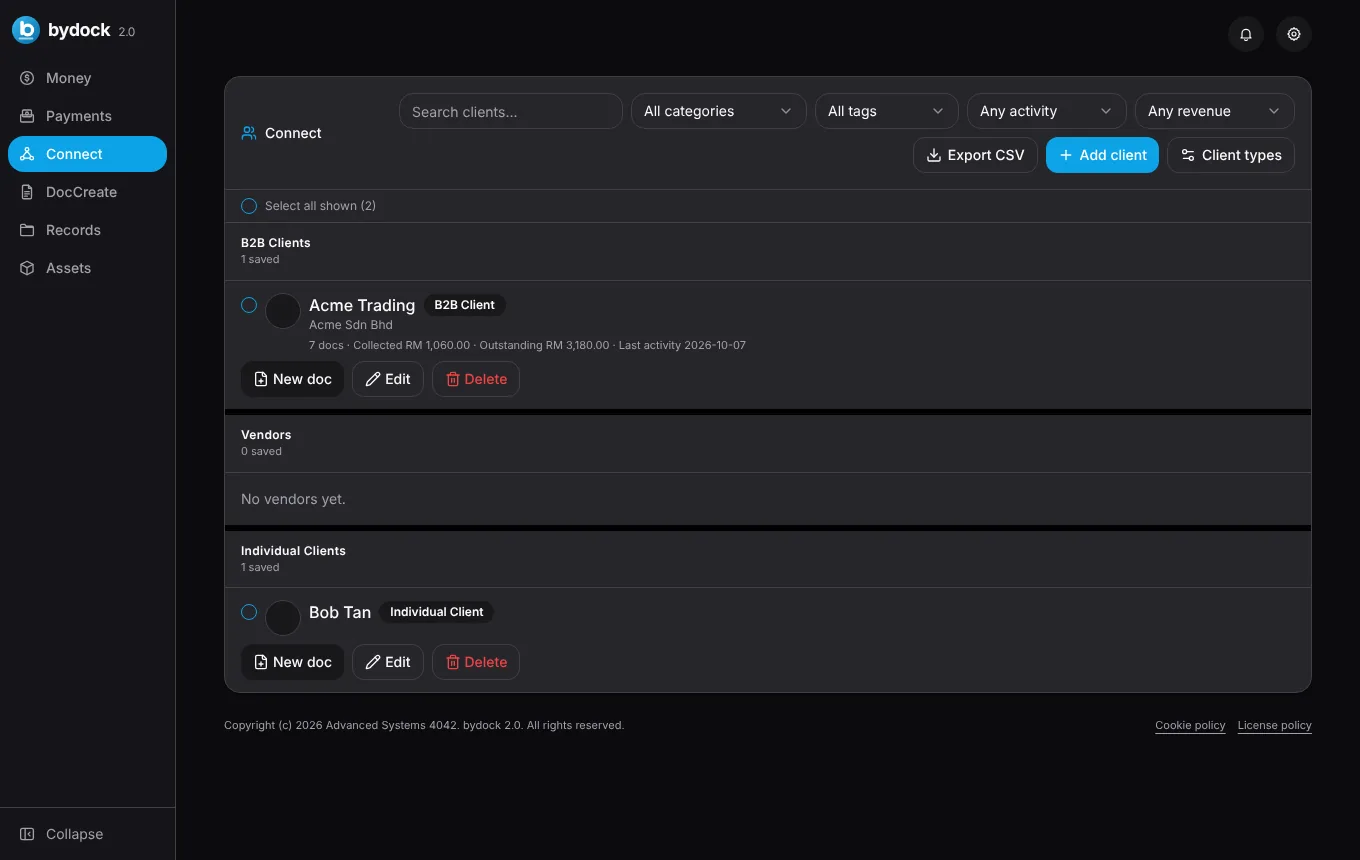
Keep contact details, tags and a running notes thread for each client. The timeline shows every document you've sent them.
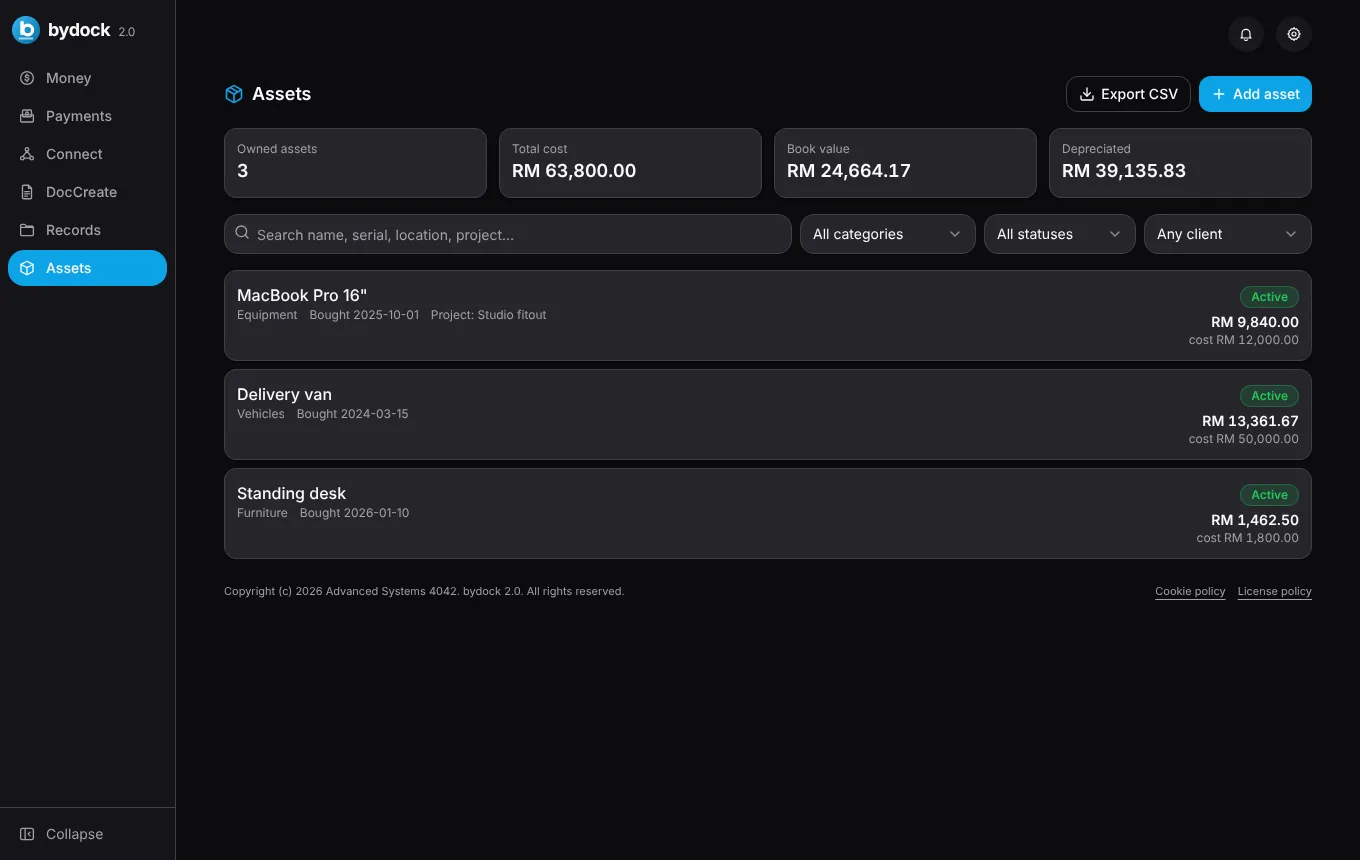
Record equipment, vehicles and furniture with cost, useful life and salvage value. Bydock works out the book value and the gain or loss when you sell.
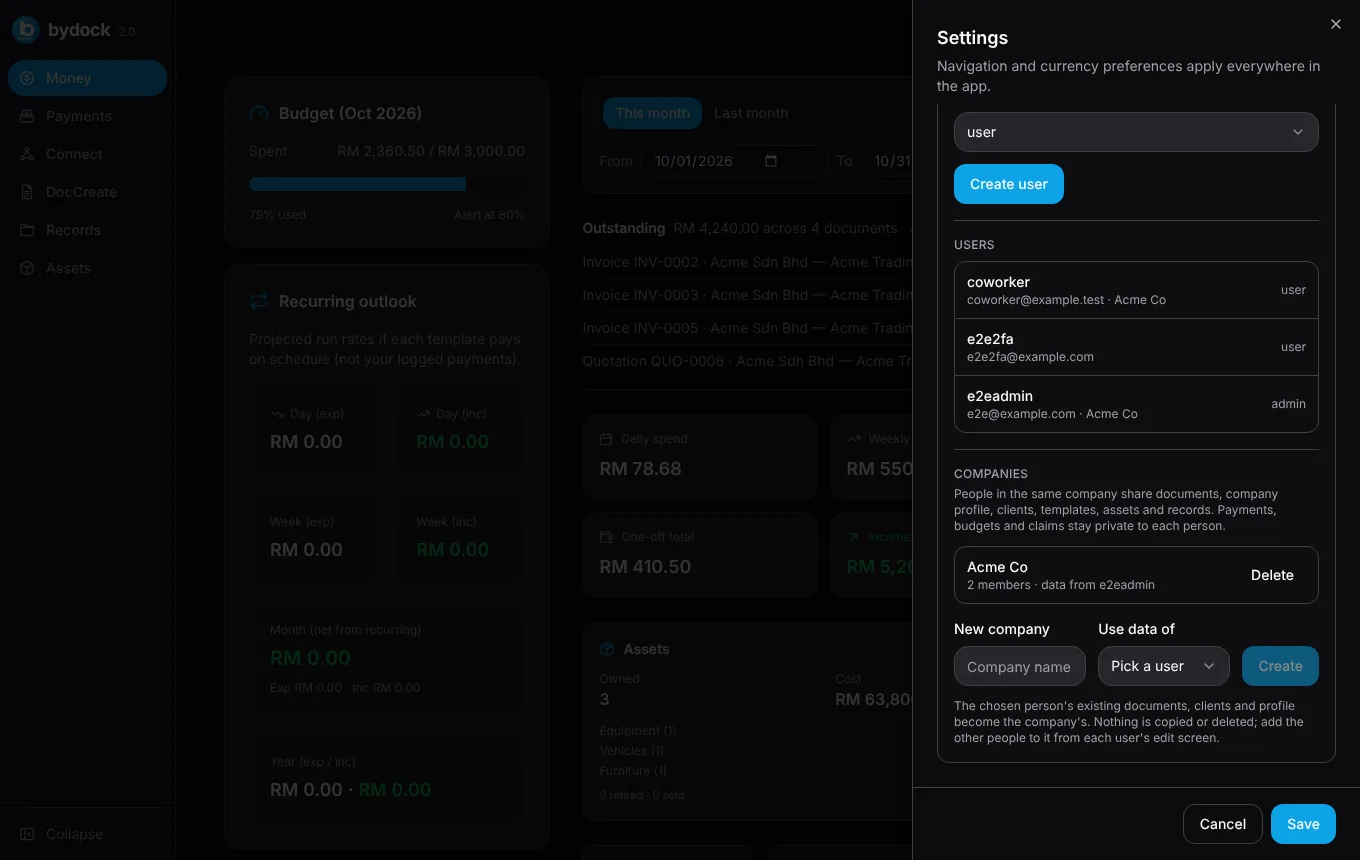
People in the same company share documents, the company profile, clients, templates, assets and records. Each person's own payments and budgets stay private.
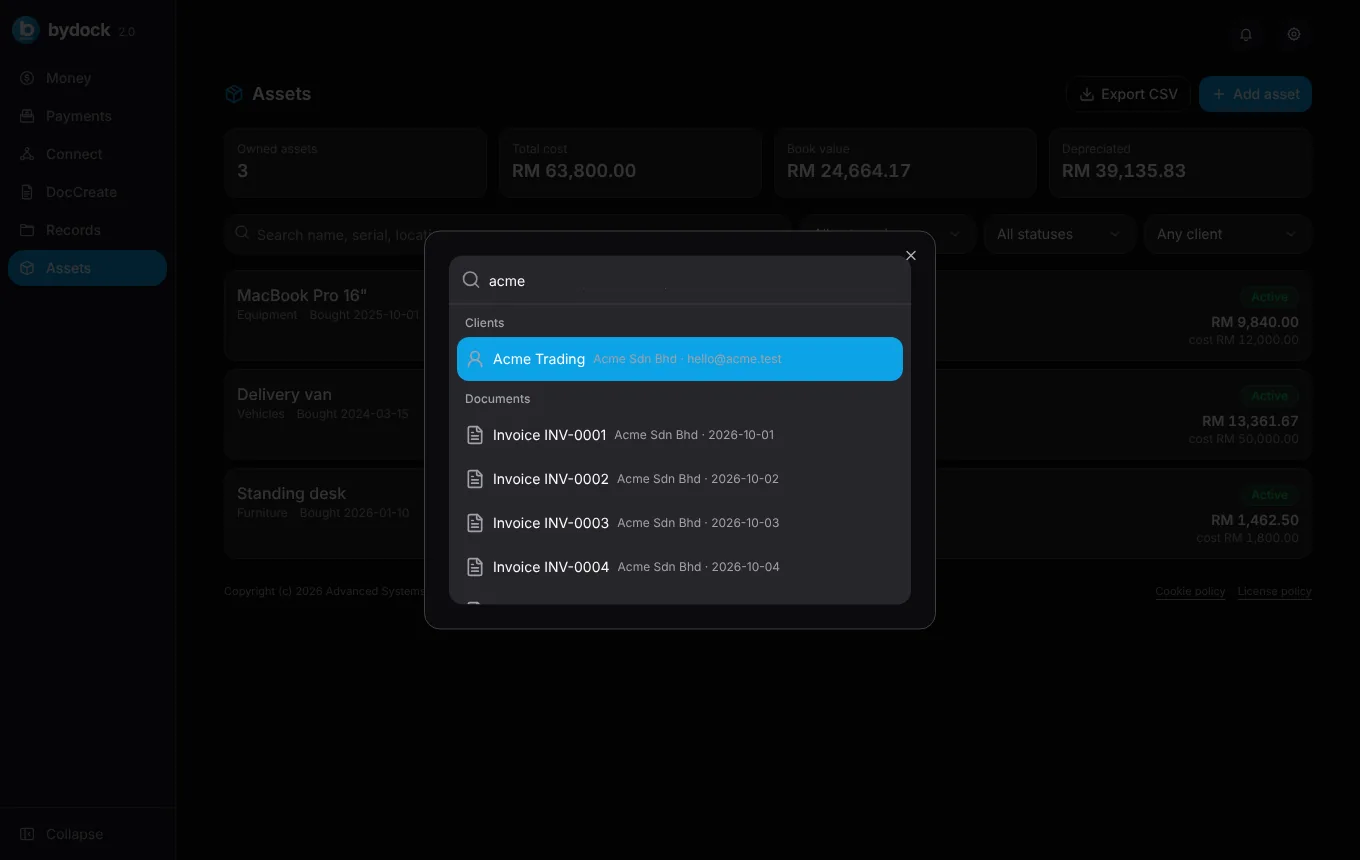
Press Ctrl K (or Cmd K on a Mac) to search clients, documents, records and assets, or run a command. Press ? to see every shortcut.
The same client and the same line items carry through every step.
Save their details once in Connect, with tags and notes for context.
Build it in DocCreate and send the PDF, or a read-only link that expires when you choose.
Duplicate the quotation into an invoice draft, set the due date and send it. Late ones flag themselves.
The payment shows in Money straight away, and you can issue the receipt from the same record.
Share a read-only PDF by link with an expiry of up to 90 days. Revoke it in one click. The first view marks the document as viewed.
A document can't vanish quietly. Deleting one asks an approver first, with email and push notifications when set up.
Agreements and files live next to the client they belong to, in cloud storage scoped to your account.
Download a ZIP of PDFs, or CSVs of clients and assets for your accountant.
Ctrl K to search, N for a new document, ? for the full list.
A proper light theme, not an inverted one, with contrast checked against WCAG AA.
Invoices hold names, amounts and bank details. Bydock treats them that way.
Start free on your own. Move up when you invoice every week or bring your team in.
For tracking your own money and the odd invoice.
Start free
For freelancers and sole proprietors who invoice every week.
or RM190 a year
Choose SoloFor small firms where a few people share the paperwork.
or RM490 a year
Choose TeamYour own Bydock instance, branded with your company name.
Starting price, quoted per company
Talk to usPrices in Malaysian ringgit. Accounts are set up by our team: send a request, we create your username, and your first invoice comes from Bydock itself.
| Feature | Personal | Solo | Team | Dedicated |
|---|---|---|---|---|
| Money | ||||
| Income, expenses and budgets | ||||
| Recurring entries and claims | ||||
| Multi-currency totals | ||||
| Documents | ||||
| Invoices, quotations, receipts and refunds | 10 a month | Unlimited | Unlimited | Unlimited |
| PDF preview and lifecycle states | ||||
| Public share links | – | |||
| Bulk actions and ZIP export | – | |||
| Clients, assets and records | ||||
| Clients | 25 | Unlimited | Unlimited | Unlimited |
| Tags, notes, timeline and CSV export | – | |||
| Asset register with depreciation | – | |||
| Records and agreements | – | |||
| File storage | 500 MB | 5 GB | 20 GB | 100 GB |
| Team | ||||
| Users | 1 | 1 | 5 included | Unlimited |
| Shared company workspace | – | – | ||
| Delete approvals | – | – | ||
| Admin user management and audit log | – | – | ||
| Own instance, database and subdomain | – | – | – | |
| Security and support | ||||
| Two-factor sign-in | ||||
| Command palette and shortcuts | ||||
| Support | Priority email | Named contact | ||
| Onboarding and data import | – | – | – | |
What has shipped, what we're building next, and what we've decided not to do yet.
Not planned for now: native mobile apps, and sending recurring invoices without you checking them first. Bydock already works in your phone's browser.
Something not covered? Email contact@advancesystems4042.com.
No. Bydock covers the day to day: what came in, what went out, and the documents in between. It doesn't do double-entry bookkeeping or tax filing. Export your data to CSV for your accountant.
Not today. Bydock produces invoices, quotations, receipts and refunds as PDFs. Submission to LHDN's MyInvois is not built in, so if your business must e-invoice, keep your submission tool alongside Bydock.
Everyone in the same company sees the shared business data: documents, company profile, clients, templates, assets and records. Payments, budgets and claims stay private to each person.
On Cloudflare. Accounts and approvals live in a Cloudflare D1 database, and files live in Cloudflare R2 storage under a key that belongs to your account. Dedicated plans get their own separate database and storage.
Choose a plan and send the request. We create your account with a username and a temporary password that you change when you first sign in. Paid plans are invoiced monthly or yearly.
Yes. Create a public link with an expiry of up to 90 days. Your client opens a read-only copy without signing in, and you can revoke the link at any time.
Yes. Bydock is a responsive web app, so it works in any modern browser on your phone, tablet or computer.
Start on the free plan today. Upgrade when your work needs it.